

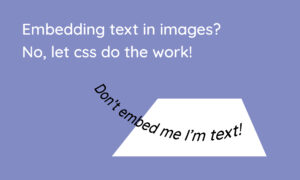
 It’s not the naughties anymore, we have ways of adding text that’s not in images!
Introduction
As web designers, developers, and content creators, it’s our job to create websites that not only look visually appealing but are also accessible, responsive, and SEO-friendly. While embedding text within images may seem like a quick and simple solution to achieve the desired aesthetics, it’s far from the best practice. In fact, there are plenty of reasons to opt for CSS (Cascading Style Sheets) to control text styles rather than flattening it into images. In this blog post, we’ll delve into why embedding text in images is a strategy best left in the past.
Accessibility
Screen Readers
One of the most crucial aspects of web design is accessibility. Visually impaired users often rely on screen readers to browse the internet. Screen readers can’t interpret text within an image, which means that a part of your audience could be missing out on valuable content.
Language Translation
Similar to screen readers, automatic language translation tools cannot interpret text within images. This limitation can be a significant barrier for global audiences, as they won’t be able to understand the content embedded in the image.
SEO (Search Engine Optimisation)
Search engines like Google rely on text to understand the content of a page. When text is embedded in images, it becomes invisible to search engine crawlers, thereby affecting your site’s SEO negatively. Text-based content is crucial for higher search rankings and better visibility.
Responsiveness and Scalability
Pixelation and Quality Loss
Images with embedded text do not scale well. When viewed on different devices or resolutions, they can appear pixelated or lose quality, impacting the overall user experience.
Load Time
Images are generally larger in file size compared to HTML text, which could result in longer load times, especially for users with slower internet connections. Faster loading websites not only provide a better user experience but are also favoured by search engines.
Flexibility and Ease of Updates
When text is embedded in images, making updates or corrections becomes cumbersome. You’ll need to edit the image, potentially affecting its quality, and then re-upload it. Using CSS for text styling provides the flexibility to make changes effortlessly and without quality loss.
The Power of CSS
CSS is designed to handle various text styling tasks like fonts, sizes, line heights, spacing, colours, and so much more. With the advent of CSS3, even more advanced text effects like text shadows and animations are at your fingertips, all while keeping the text accessible and SEO-friendly.
So don’t do it, here’s the short version
While embedding text in images might seem convenient, the downsides far outweigh the benefits. Issues related to accessibility, SEO, responsiveness, and flexibility can negatively impact your website’s performance and user experience. Let CSS handle the text styling—it’s what it’s designed to do, and it does it remarkably well.

